Graphical User Interface (GUI)
EAM QuickView's GUI contains the three main components summarized below. Detailed descriptions can be found on the linked pages.
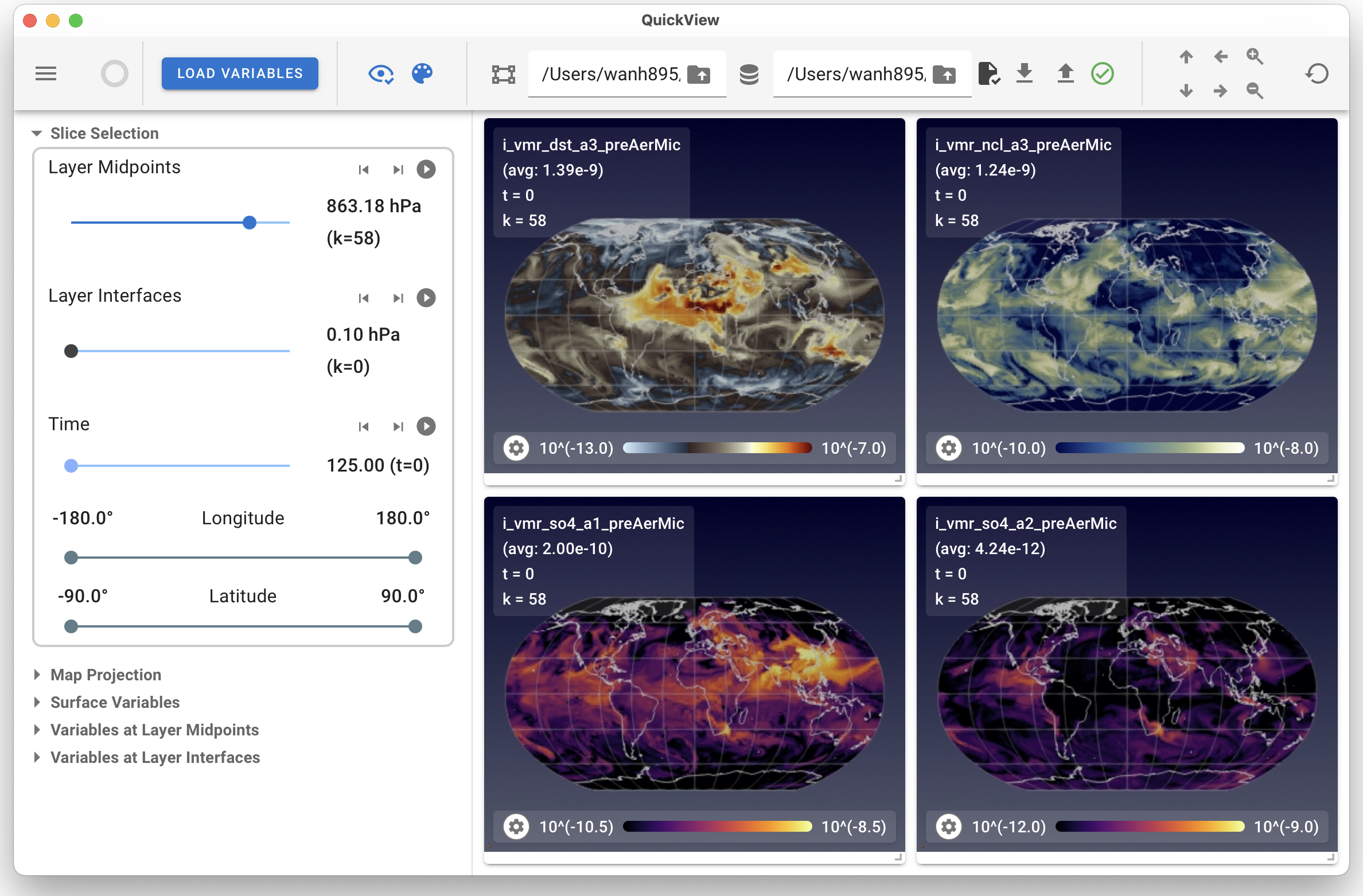
Toolbar: The toolbar located at the top of the GUI contains buttons and text boxes for loading data files and controling various global properties of the application.
Control Panel: The control panel located on the left of the GUI allows the user to select data slices to represent, i.e., variables, time slices, vertical levels, horizontal domains and map projections. The control panel can be collapsed or shown using the hamburger icon (three stacked lines) at the left end of the toolbar.
Viewport The viewport displays one or more variables for the user. For each variable, the colormap, value ranges etc. can be adjusted individually using the associated gear icon.